

What is Intuned Agent?
Intuned Agent is an AI agent that builds, edits, and maintains browser automation Projects. It runs inside the Intuned platform with a real browser, full access to the platform via the Intuned CLI, and works in the background as long as needed. Learn more about Intuned Agent’s full capabilities in the overview.Prerequisites
- An active Intuned account (sign up here). No credit card required—Intuned has a free plan.
What you’ll build
You’ll instruct Intuned Agent to build a scraper that scrapes Apple’s career page. The scraper will:- Extract job postings with a defined JSON schema
- Paginate through the full job list
- Capture detailed information for each posting
Create your first scraper
Enter your prompt
- Go to app.intuned.io/agent.
- Paste the prompt below into the input and send it.
Prompt
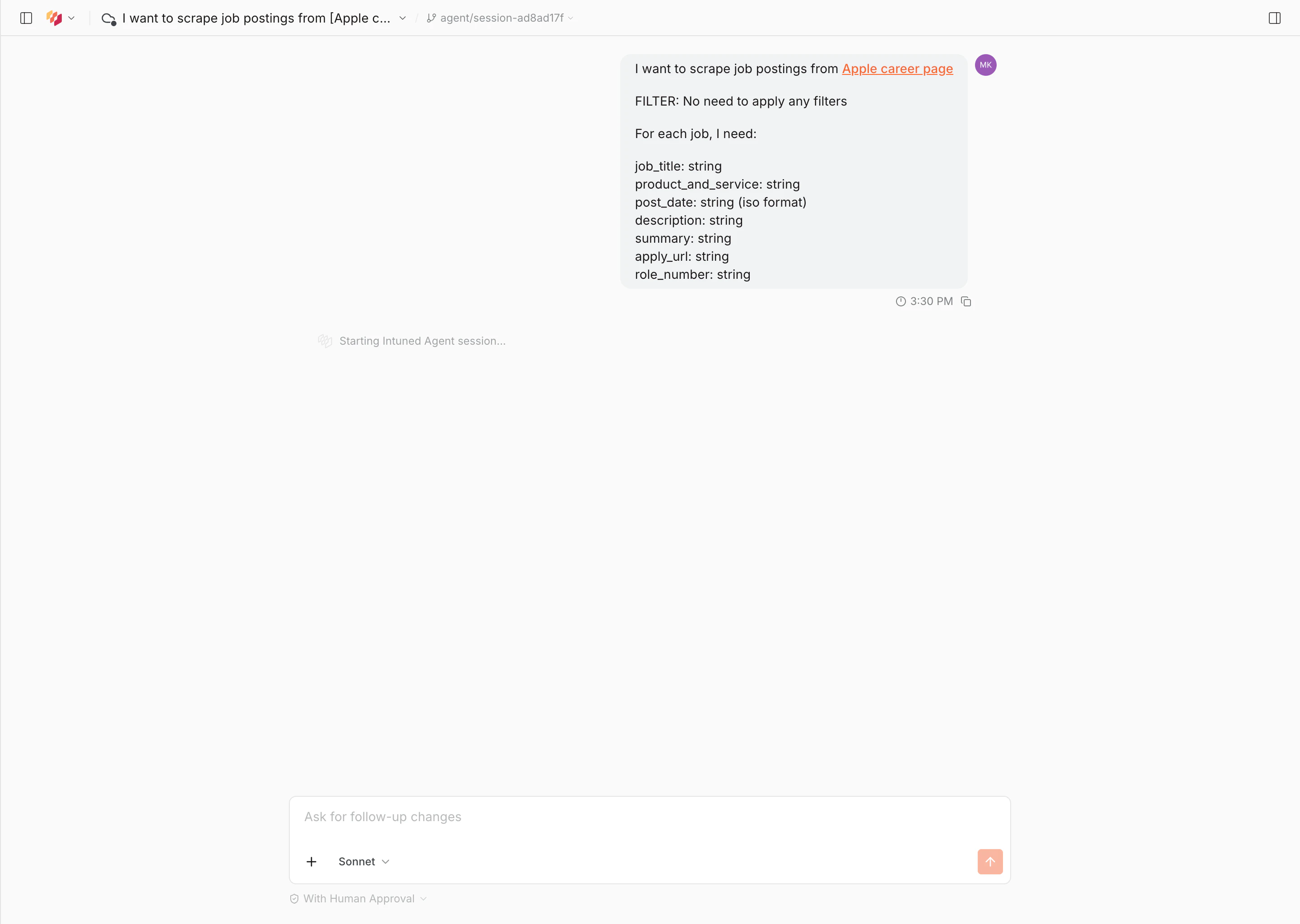
Answer the agent's questions
As the agent explores the site, it asks clarifying questions to shape the scraper—such as which language to use, how to handle pagination, and what to name the project. Answer each question as it appears.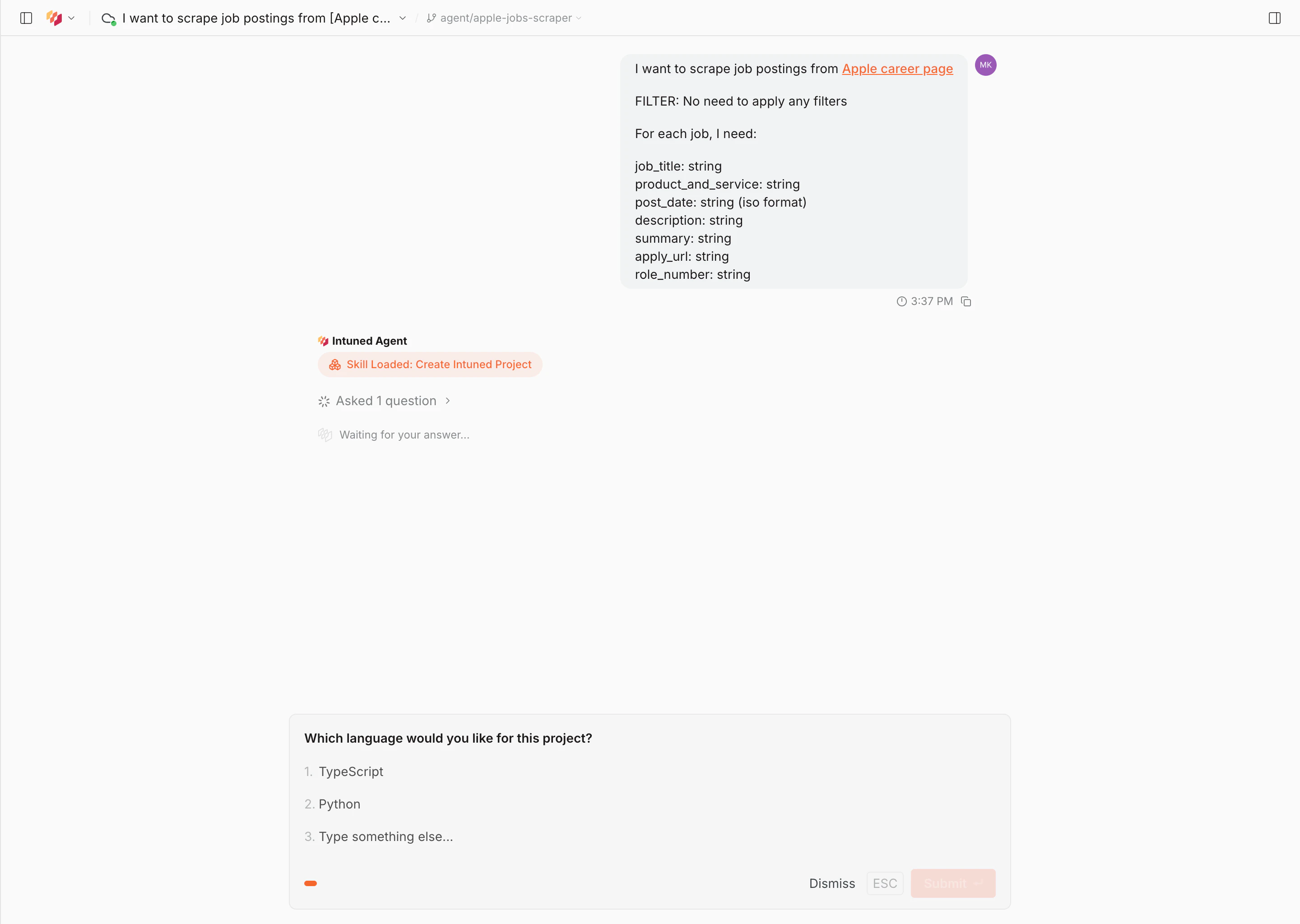
Approve the plan
Once the agent has finished exploring, it presents a full plan: the start URL, entity structure, navigation instructions, and schema. Review it and select Approve Plan to proceed, or Suggest Changes to adjust.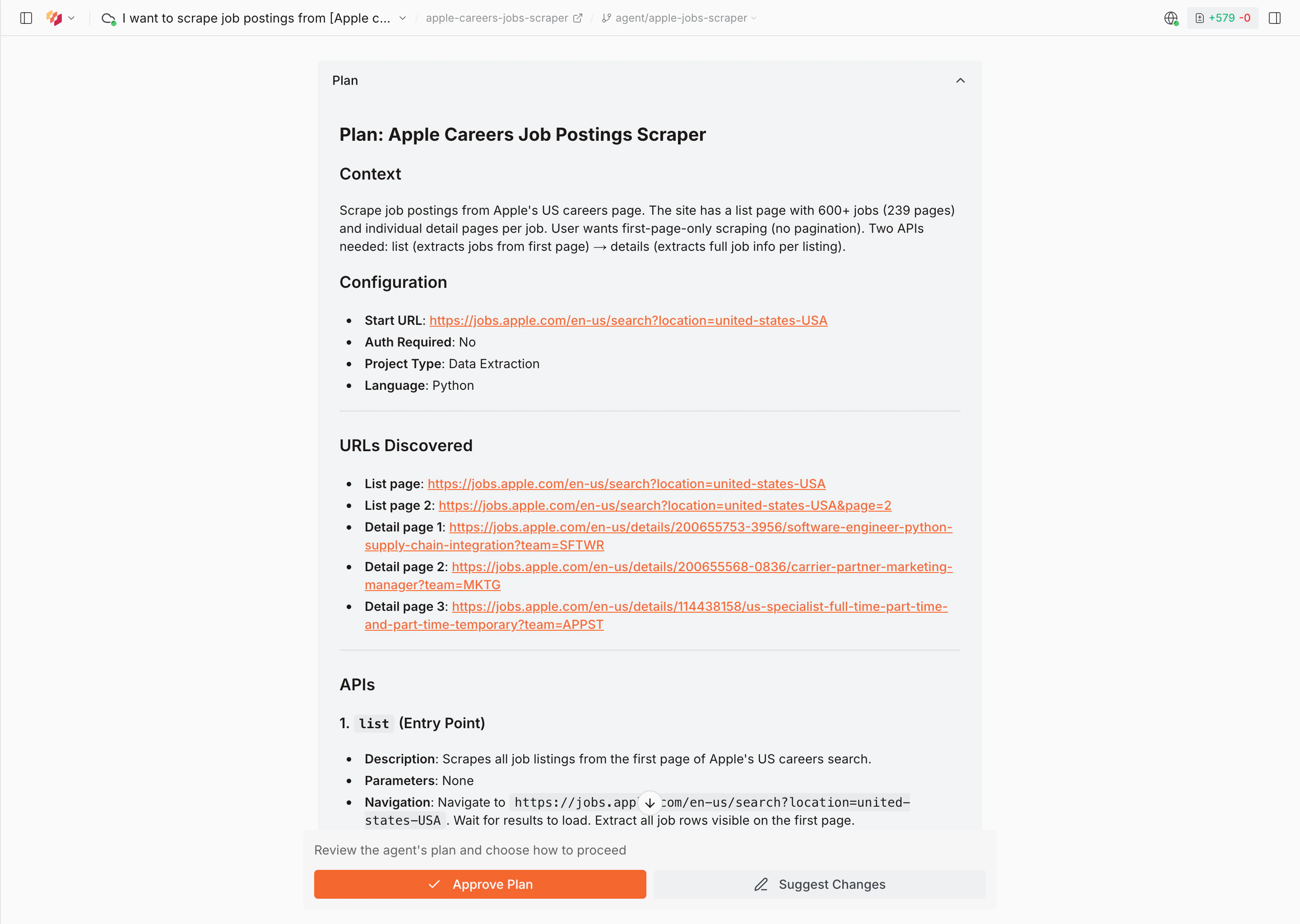
Wait for the agent to build
The agent writes the code, runs end-to-end tests, and validates the output. This typically takes 30–60 minutes.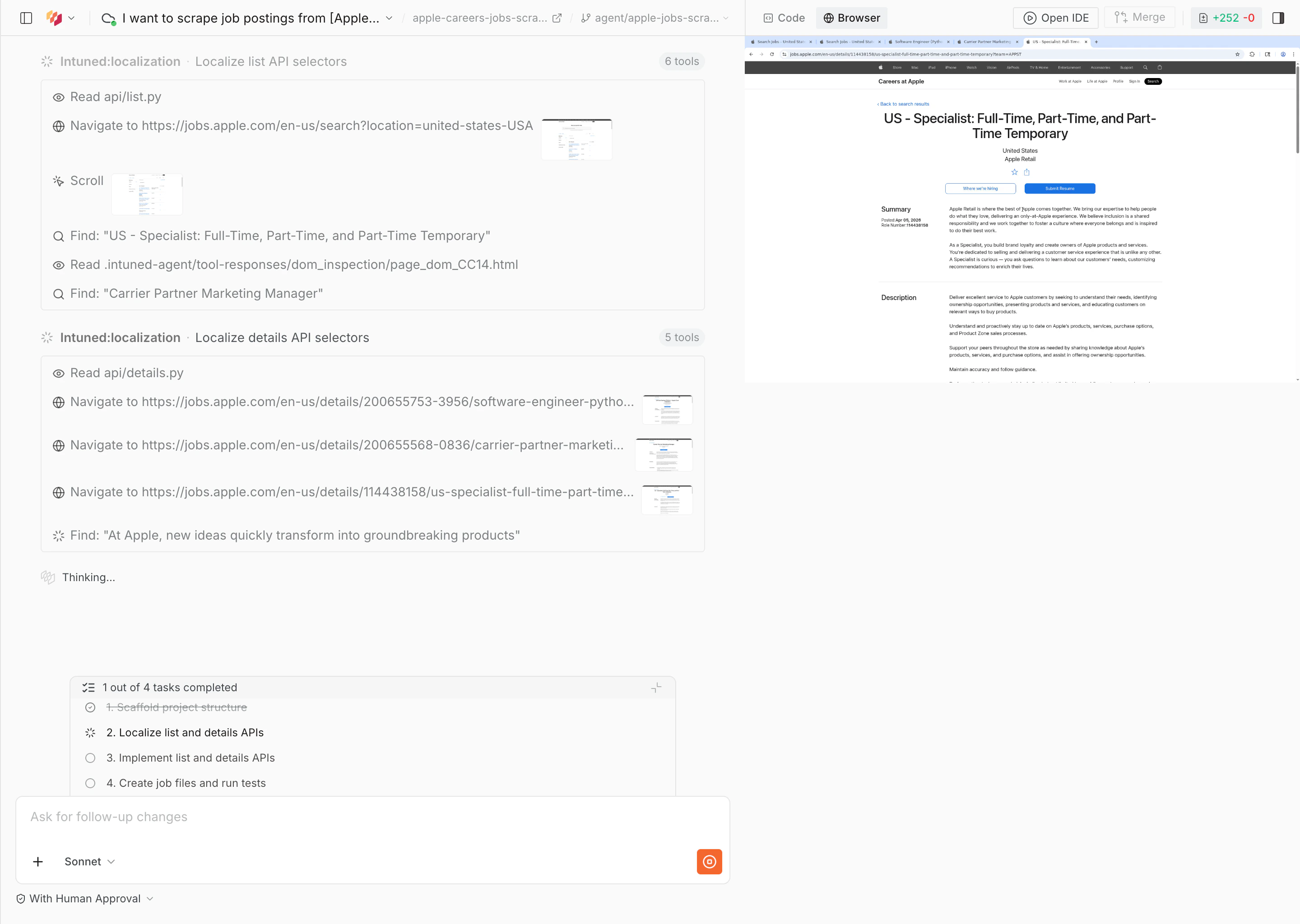
Review results and deploy
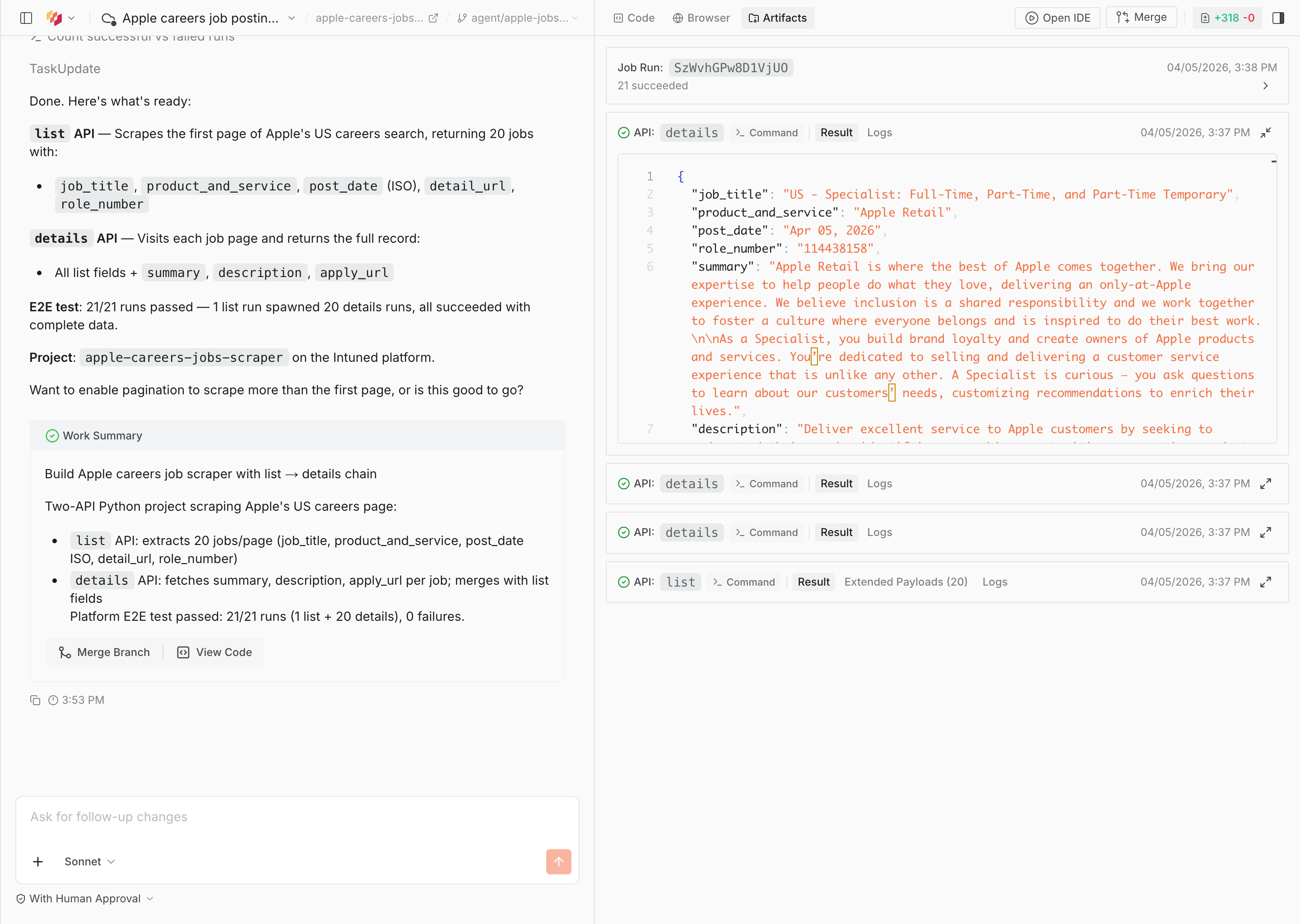
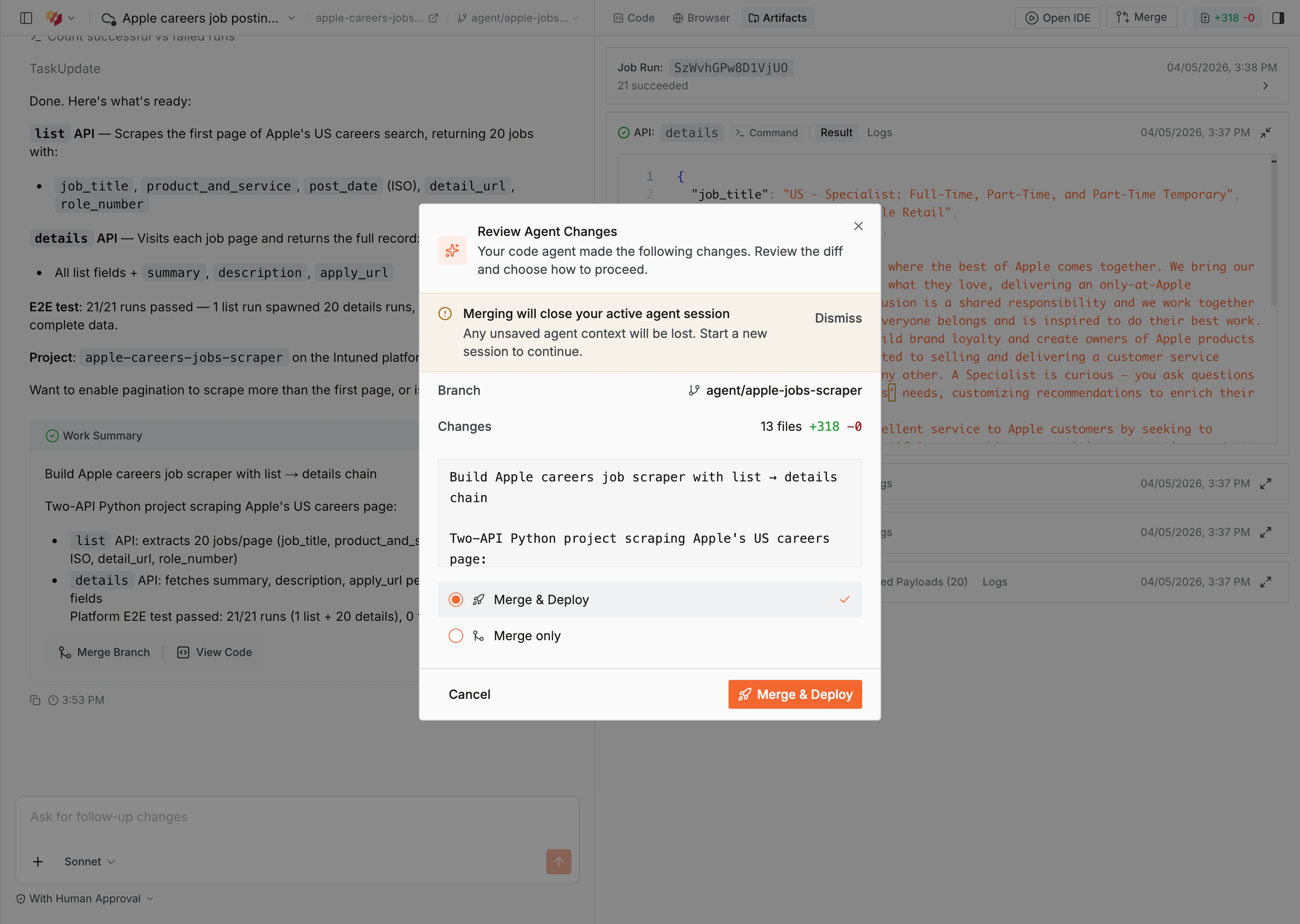
When the agent finishes, it shows a work summary with a description of what was built and the E2E test results. Select View Code to inspect the generated code, or Merge Branch to deploy.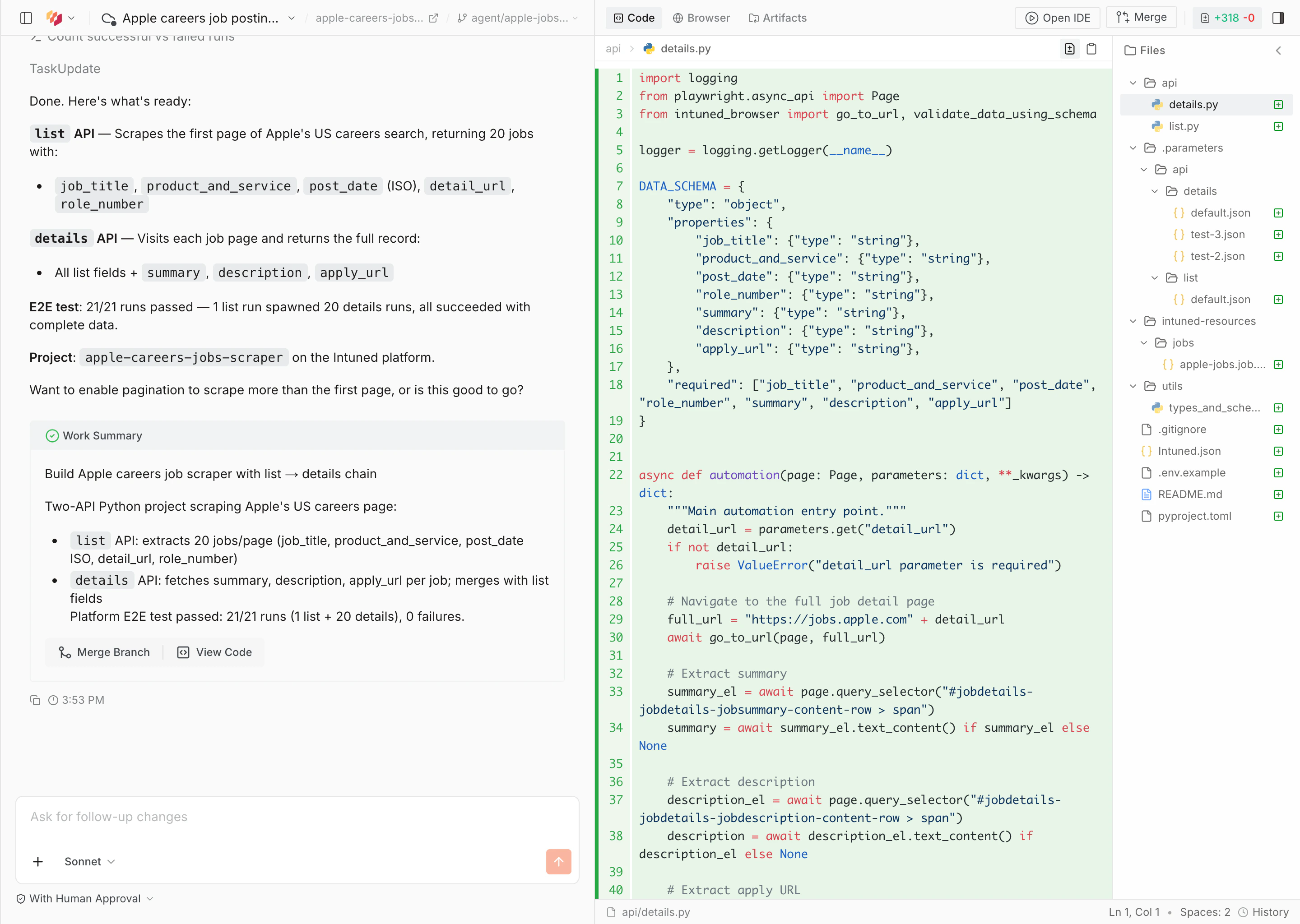
Run your scraper
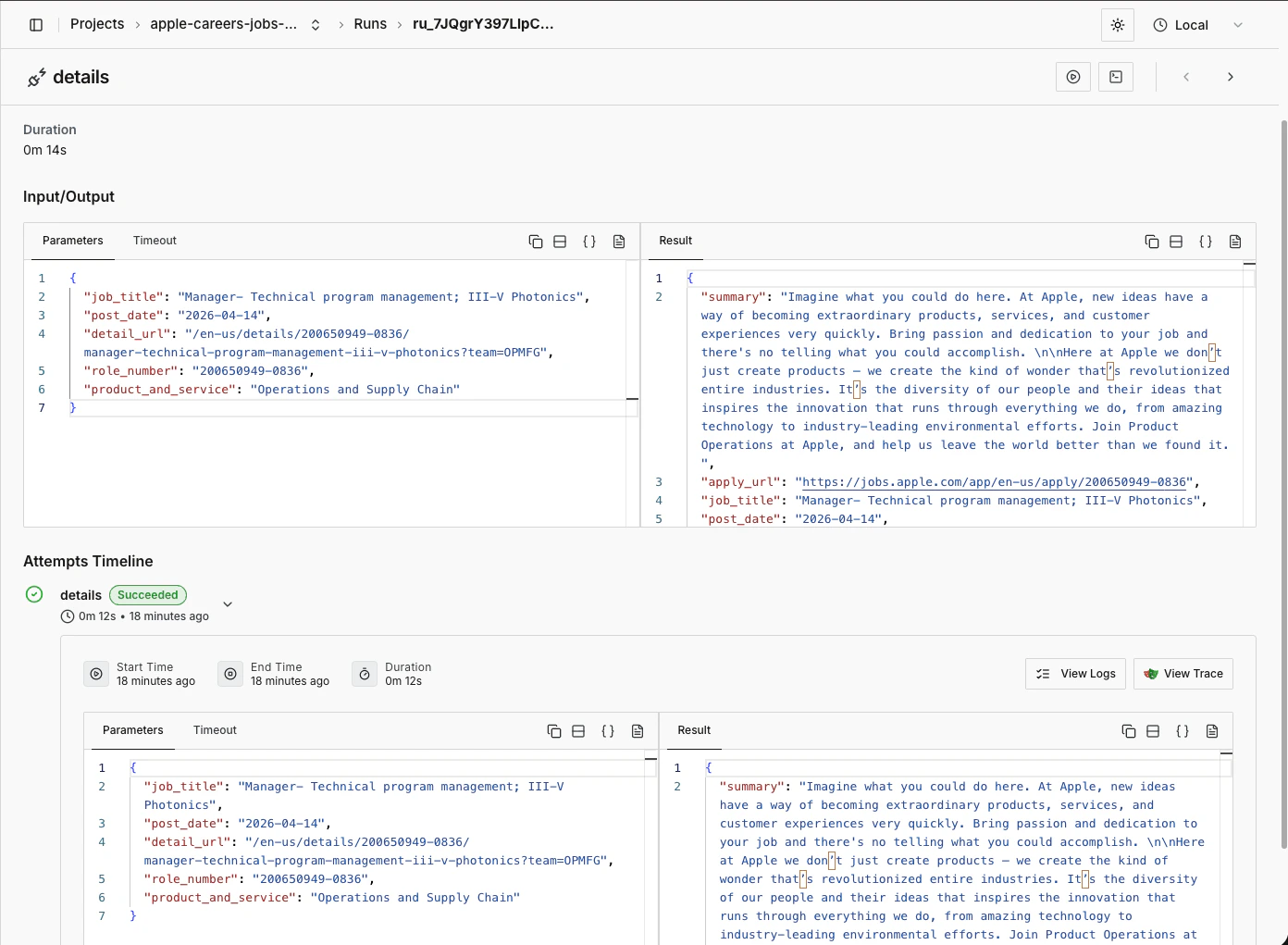
Once deployed, navigate to your project and select the Runs tab. Select Start Run to trigger your scraper.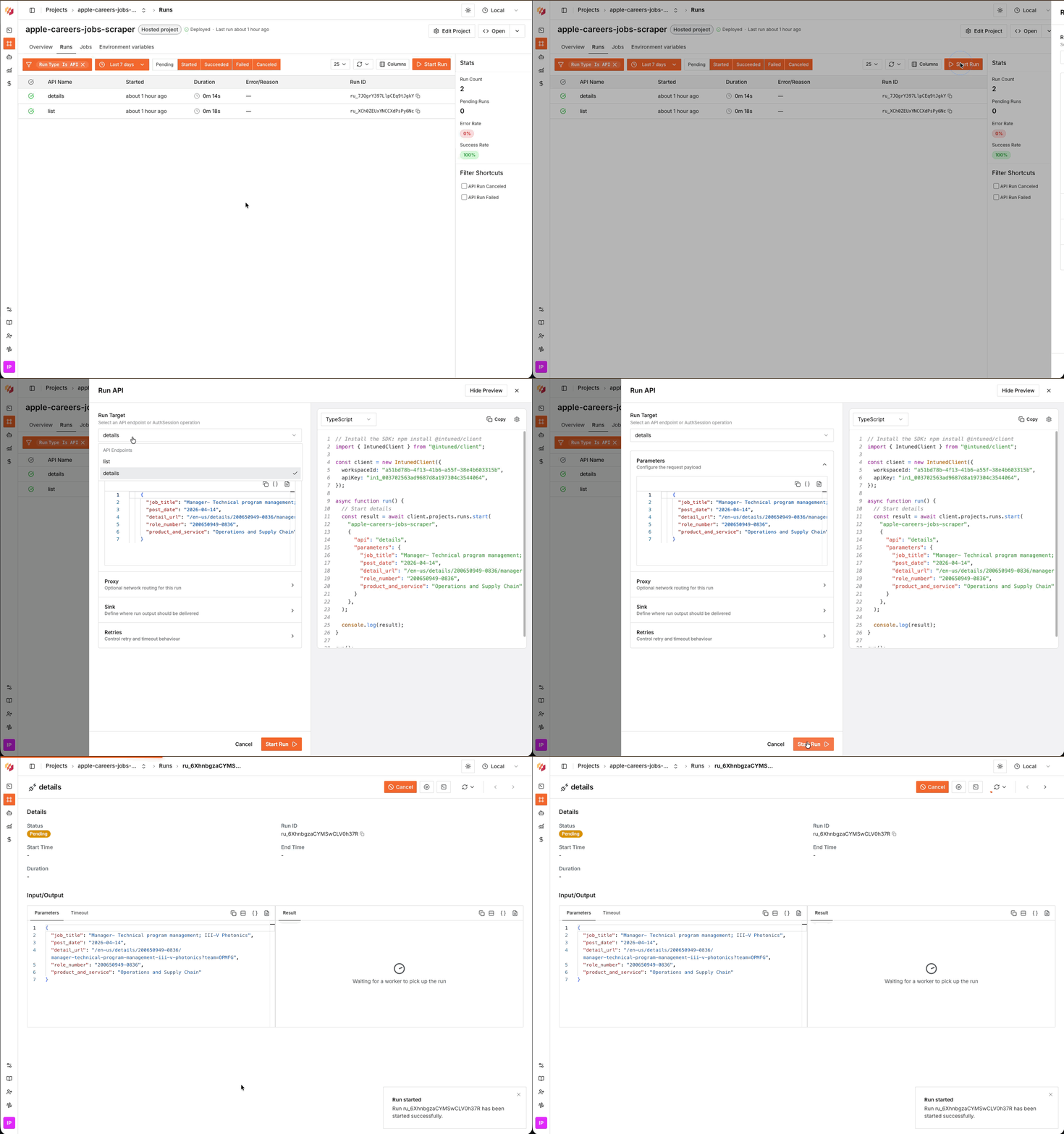
(Optional) Iterate on your scraper
Start a new conversation and select Pick project to load your scraper. You can then ask the agent to add filters, change the schema, fix selectors, or adjust the scraping logic.Example prompt:
What’s next?
- Intuned Agent — Learn more about Intuned Agent’s capabilities, including editing existing projects and fixing failed runs.
- Jobs — Jobs are the common way to run scrapers. Configure a schedule (daily, hourly, or custom) and define a sink to send your scraper results to a webhook, S3 bucket, or other destination.
- Authentication — For scrapers that require login, Intuned provides built-in authentication support. You define how to log in and how to verify a session, and Intuned handles the rest—validating sessions before runs, reusing them when possible, and recreating them when expired.
- Monitoring and traces — Every run generates detailed logs, browser traces, and session recordings. Use these tools to debug failures, verify your scraper is working correctly, and understand what happened during execution.
- Online IDE — Learn more about the Intuned IDE, which you can use to manually edit the scraper you just created.
- External agent — Prefer your own setup? The external agent (private preview, available on request) runs the same agent locally in Claude Code or Codex so you can build, edit, and debug projects from your own terminal and IDE.